

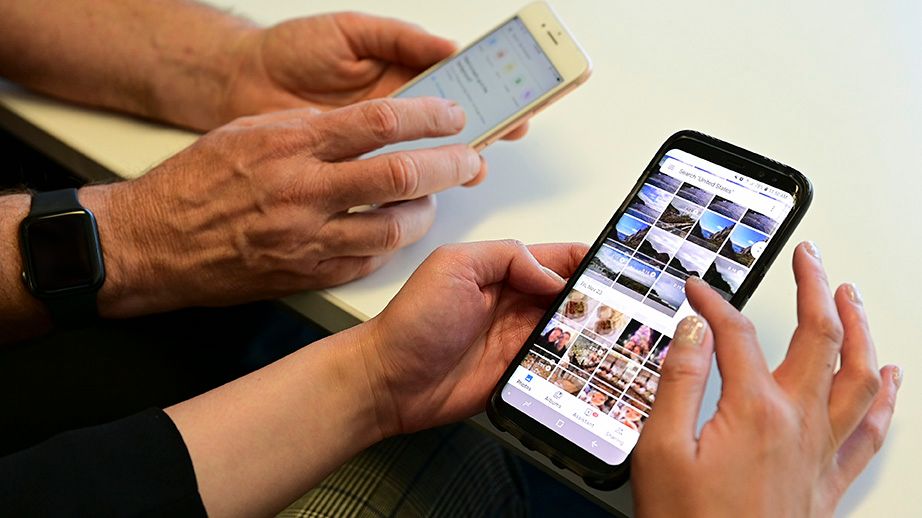
A Samsung A24 cost about RM900 (~$218 USD) two years ago. By 2026 standards, it’s slow. The battery doesn’t hold a charge as it used to, and the storage is constantly full of WhatsApp media long overdue for deletion.
Despite all this, you can still use it daily for mobile gaming, and it works fine. Not because the phone is secretly great— because it just needed to be set up properly.
Most “how to speed up your Android” articles are written by people who clearly haven’t opened an Android phone in years. They tell you to download a “cleaner app” or restart your phone.
Useless. Here’s what actually moves the needle.
Storage is the Silent Killer
Here’s the thing nobody tells you. When your Android phone’s internal storage gets above 85% full, everything slows down. Not just file transfers. Everything. The OS itself starts to struggle because it needs free space to manage memory.
Open your settings. Check your storage usage right now. If it’s above 85%, that’s probably your problem.
Things that secretly take up massive amounts of space on Malaysian phones:
- WhatsApp media (especially family group videos)
- Downloaded videos from TikTok and other social apps
- Cached files from apps you barely use
- Photos that have been backed up to Google Photos but never deleted from local storage
- Old WhatsApp backups that never got removed
Spend twenty minutes clearing these. Don’t download a cleaner app to do it. Just go through your apps manually. You’ll be shocked how much you can free up.
Background Apps are Eating Your Phone Alive
Pull up your battery usage screen. Look at what’s been running in the background for the last 24 hours. Half of it will be stuff you forgot you installed.
Things to be ruthless about:
- Shopping apps you opened once and never use
- Multiple food delivery apps when you only use one
- Photo editing apps with constant push notifications
- Any app that wants location access for no good reason
Uninstall what you don’t use. For the ones you keep, go into settings and disable background activity for the ones that don’t need it.
This single step probably gives you 30-40% better battery life and noticeably faster performance.
Gaming-Specific Settings
Once you’ve cleaned up the basics, there are gaming-specific tweaks that help.
First, enable Game Mode if your phone has it. Samsung, Xiaomi, Oppo, Realme, and most major brands have some version of this built in. It does a few things automatically when you open a game: pauses notifications, optimizes RAM, and sometimes downclocks unrelated processes. The performance difference is real, especially on older devices.
Second, force-close your gaming apps after each session. Don’t just hit the home button. Actually swipe the app away from the recent apps screen. Mobile games are notorious for keeping themselves “warm” in the background even when you’re not playing, which drains battery and slows everything down.
Third, lower the in-game graphics settings if the app lets you. A lot of gaming apps, Winbox included, run perfectly fine on lower graphics settings and you’d barely notice the difference unless you put them side by side.
Save your phone the work. It’ll thank you with smoother performance and longer battery life.
Network Matters More Than You Think
A lot of “the app is slow” complaints are actually network problems in disguise.
Quick test: turn on your phone’s mobile data. Turn off WiFi. Try the app again. If it suddenly works smoothly, your WiFi is the problem, not the app or the phone.
Common WiFi issues that hit Malaysian users:
- Too many devices on the same router (especially in family homes with 5+ phones)
- Router placed too far from where you actually use your phone
- Internet provider throttling during peak hours (yes, this is real, especially with some local ISPs)
- 5 GHz vs. 2.4 GHz mix-up — many users are on the slower band without realizing
If your phone is consistently slow on WiFi but fine on mobile data, your home network needs attention. This is usually a cheaper fix than a new phone.
The Battery Health Problem
Android phones in their second or third year usually have battery issues. Not because the battery is dead, but because the battery health has degraded to the point where the phone throttles itself to prevent crashes.
You can check this on most newer Android phones in the settings under “Battery” or “Device care.” If your battery health is below 80%, that’s likely affecting performance even when the phone is plugged in.
A battery replacement at a third-party shop in Malaysia usually costs RM80-150 ($20-37). Way cheaper than a new phone. Most older phones run dramatically better with a fresh battery.
Storage Hack: Use Cloud for What You Don’t Access Often
You don’t need every photo from your 2021 trip to Penang on your phone. Move that stuff to Google Photos (the free tier still works for compressed photos) and delete the local copies.
Same with old WhatsApp chats. Export the ones you want to keep. Delete the rest. Most of those messages aren’t important to you anymore anyway. They’re just taking up space.
You can free up significant room by doing this. The performance difference was immediate.
When it’s Actually Time to Upgrade
Sometimes a phone is genuinely past its useful life. Signs it’s time to upgrade:
- The phone can’t install OS security updates anymore
- Major apps are dropping support for your Android version
- The battery dies within a few hours of normal use, even after replacement
- The screen has physical damage that affects daily use
- You’ve already maxed out storage, and there’s nothing left to delete
If none of these apply, you probably don’t need a new phone yet. The optimization tricks above will keep your current phone usable for another year or two.
The mobile gaming industry would love for you to think you need a flagship phone to enjoy their apps. You don’t. A well-maintained mid-range phone from a few years ago works perfectly well for almost everything.
The Summary
Most slow Android phones aren’t actually broken. They’re just neglected.
Clear your storage. Kill background apps. Enable game mode. Force-close apps after use. Lower graphics settings. Check your network. Consider a battery replacement if the phone is more than two years old.
Do these things and your “old” phone will run gaming apps a lot better than you’d expect. You just have to actually maintain it.










Leave a comment